
AI Photo Video Maker, Enhancer
Smart AI DEVPhotography
4.71.86K Reviews
- Version
- 1.7.3
- Installs
- 10.00M
- Age Rating
- Everyone
Screenshots
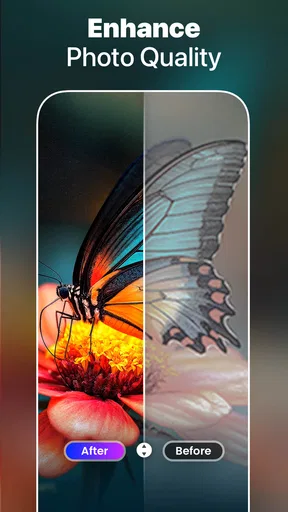
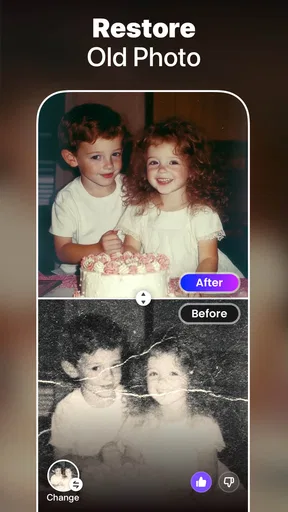
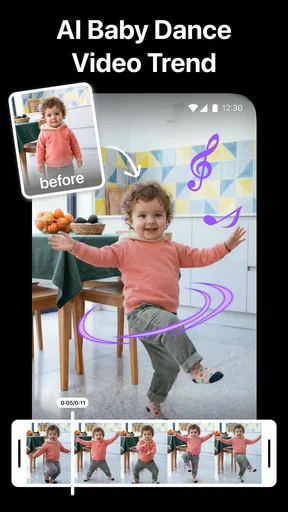
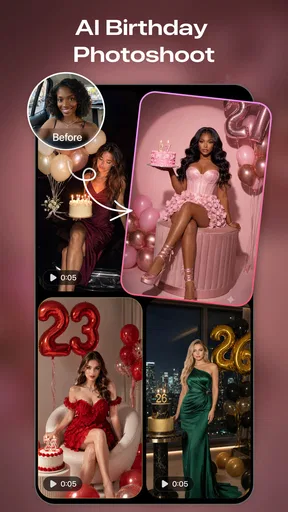
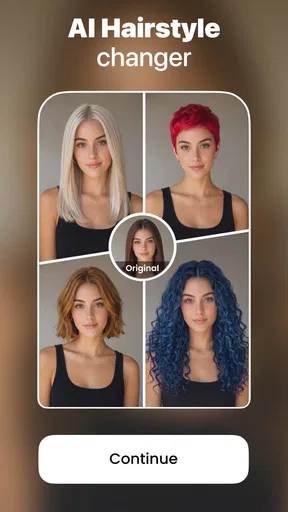
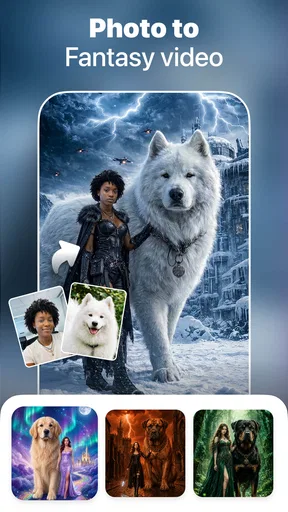
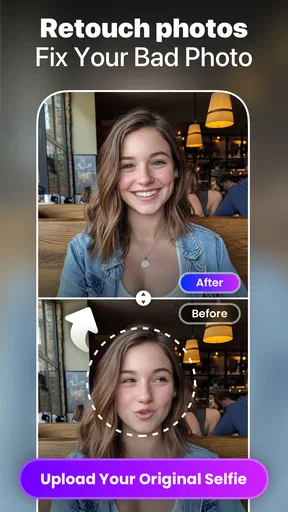
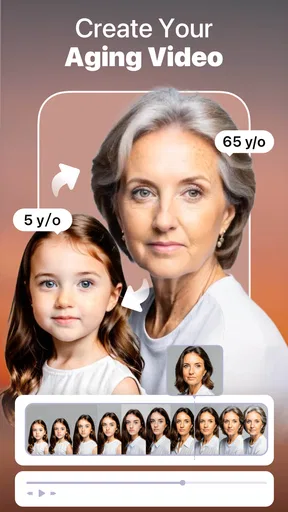
Our Review of AI Photo Video Maker, Enhancer
 Analysis by Appyee
I see AI Photo Generator, Enhancer as a quick-editing option for people who want to improve or play with pictures without learning a full desktop editor. Its appeal is the mix of photo touch-ups and more playful AI effects, but that breadth also calls for a little restraint: an automatic enhancement can be a useful starting point, not a guarantee that every image will look better. I’d reach for it when I want a fast experiment or a shareable result, then judge the output at full size before replacing an original.
A practical fit for everyday photo fixes
For an ordinary phone photo, the most useful question is not whether an effect looks dramatic, but whether it helps the image do its job. A dim snapshot of a friend, a washed-out view from a window, or an older picture that has lost some clarity are the kinds of images where enhancement and restoration tools can be worth trying. I’d compare the result with the untouched photo rather than assuming that more brightness or sharpness is automatically an improvement.
That side-by-side habit matters because AI edits can make small details feel stronger while also changing the mood of a scene. A sunset can look more vivid, but an aggressive treatment may shift it away from what you remember. For family photos or keepsakes, I’d keep the edit modest and preserve the original. For a fun post or a cartoon-style variation, I’d be more willing to lean into the transformation.
From a quick edit to a shareable result
A realistic use case is getting ready to share a photo while waiting for a bus or taking a break. I might pick one image, try an enhancement, and decide whether it improves the subject without making skin, skies, or shadows look strangely processed. If it works, I can use that version; if it does not, I can stop there rather than spending time adjusting a long chain of controls. That quick decision-making is where a phone-first tool can beat a more elaborate editor.
The app also has a playful side beyond routine correction. Cartoon effects are better treated as a change of style than as a faithful retouch, while AI baby-dance videos are the sort of novelty I’d make for a laugh or a private family chat rather than expecting precise creative control. Before sharing an edited picture or video, I’d check that everyone shown is comfortable with the result, especially when a child is involved. The entertainment value is real, but it is different from preserving a natural-looking photograph.
What to check before making it your regular editor
One practical concern is processing time: the published experience already notes that high-resolution images can take longer. If I’m working with a large original, I’d avoid judging the app by a slow first attempt or starting several edits at once. I’d also make a copy before experimenting. That simple workflow gives me room to try a stronger look without treating an AI-rendered version as the only copy of a photo I care about.
It is also sensible to consider the value of the app before building a routine around it. It is free to install, while optional in-app purchases range from $4.99 to $79.99 per item. I’d first decide which tools I actually use and whether the free experience meets that need, rather than paying because a feature sounds exciting in the moment. Those purchase options may suit someone who edits often, but a person who only fixes a picture now and then may be better served by the tools already included with their phone.
Unpacking the Magic of AI Photo Generator, Enhancer
First things first, downloading the app was a breeze. Available on both Android and iOS platforms, I quickly found it on the app store, and in no time, it was ready to go. The interface? Clean, intuitive, and surprisingly easy to navigate. You don't need to be a tech wizard to figure out how to use it, and that's always a plus in my book.
Features That Make It Shine
Now, onto the juicy part—the features. The AI Photo Generator, Enhancer is packed with a range of tools that promise to elevate your photos. Here are a few that stood out:
- AI Enhancement: This was probably my favorite. The app uses AI to automatically adjust lighting, contrast, and sharpness. I tried it on a dull sunset picture, and voilà, it was like the sky had burst into flames.
- Creative Filters: We all love a good filter, right? Well, this app offers a plethora of them, from vintage vibes to modern aesthetics. It’s almost too easy to get carried away trying them all.
- Noise Reduction: Ever taken a low-light photo that looks grainy? The noise reduction feature actually works wonders in cleaning that up. I was genuinely impressed by how much it improved my night-time shots.
- Background Editing: This feature lets you change or blur the background. It’s perfect for those times when you want to focus solely on the subject of the photo.
Getting Hands-On with the App
So, how does it feel using the app for real? Honestly, it’s a bit like having a mini photo studio in your pocket. Whether I was enhancing selfies or tweaking landscape shots, the process was seamless. The AI enhancements are smart enough to make noticeable improvements without making the photos look overly edited or unnatural.
I did run into a slight hiccup when trying to edit high-resolution images. The app took a bit longer to process these, but it's not a deal-breaker. A little patience and you’re rewarded with high-quality results.
How it compares with familiar editing options
Compared with a phone’s built-in editor, this app is more tempting when I want an AI-led change or a deliberately playful treatment, rather than just a crop, exposure adjustment, or quick color correction. The built-in editor is often the faster choice for a tiny fix, and it avoids the distraction of trying several styles. I’d open this app when the photo needs more than a basic tweak or when I want to see how a creative effect changes its character.
Against a full photo-editing program, the trade-off runs the other way. A dedicated editor is the better choice when I need fine control over individual tones, layers, or a consistent look across a batch of images. This app’s value is convenience, not replacing a careful editing workflow. If I were preparing a portfolio image or needed a repeatable professional finish, I’d choose a more precise tool and use this one for quick alternatives.
Who Will Love This App?
If you're someone who loves to play around with photos but doesn't want to deep dive into complex editing software, this app is a dream come true. It's also great for social media enthusiasts who want their pictures to pop without spending hours editing.
On the flip side, professional photographers might find the app a bit too basic for their needs. While it offers a solid range of features, it’s not a replacement for advanced editing software.
Who should look elsewhere, and why
I’d skip it as a primary tool if your priority is exact color matching, repeatable edits, or detailed control over every part of an image. It is also not my first pick when I need to preserve documentary accuracy: an AI-enhanced scene can look more polished while becoming less faithful to the moment. For those jobs, I’d keep the original untouched and use a conventional editor with controls I can adjust deliberately.
For casual use, the choice is less technical. Someone who only wants to crop a picture or brighten it slightly may not need a separate app at all. Someone curious about a cartoon look, an older photo restoration attempt, or an AI-made visual has more reason to explore this one. The key distinction is whether you want a fast creative result or a careful, controlled edit.
Availability and everyday expectations
Smart AI DEV makes this photography app, which is rated for Everyone and supports Android 6.0 and later. It is free to get started, and its current version is 1.5.6. The app has an average rating of 3.9 from around 112,000 ratings, with roughly 1,400 written reviews, and has passed 10 million installs. I’d read that audience reach as evidence that the idea appeals to many people, not as proof that every tool will suit every photo or editing style.
When deciding whether it belongs on your phone, I’d think about how often you actually want AI-led edits. If the answer is occasional, the free starting point makes it easy to test the workflow, though I’d keep the optional purchases in mind before making a feature part of my routine. If you edit regularly and want predictable control, compare it with a manual editor first. That makes the choice about your habits, rather than about a single impressive-looking example.
Final Thoughts
Wrapping it all up, the AI Photo Generator, Enhancer is a fantastic tool for casual users looking to breathe new life into their photos. With its user-friendly interface and powerful AI capabilities, it’s a solid choice for quick and impressive edits.
Whether you're posting on Instagram or just want to keep your photo album looking sharp, this app is definitely worth a download. Give it a try and see how it transforms your snapshots into masterpieces!
My verdict
I’d recommend it to someone who enjoys experimenting, wants quick photo improvements, and is happy to judge each result with their own eyes. Its strongest case is the convenience of moving from a routine touch-up to a playful AI treatment without committing to a complicated editing process. The main cautions are the slower handling of large images, the possibility of edits becoming less natural than intended, and the need to weigh optional purchases against how often you will use them.
For a quick social image, a light restoration attempt, or a novelty video to share with family, it has a clear place. For precision work, archival fidelity, or a simple crop, I’d choose another route. If you approach it as a convenient creative tool rather than a substitute for every photo editor, it is easier to get useful results—and easier to know when to stop editing.
Privacy and Permissions
See what permissions an app requests and how it handles your data.
- Photos/Media/Files
- read the contents of your USB storage, modify or delete the contents of your USB storage
- Storage
- read the contents of your USB storage, modify or delete the contents of your USB storage
- Wi-Fi connection information
- view Wi-Fi connections
- Other
- view network connections, full network access, run at startup, prevent device from sleeping
Verdict
Strengths of AI Photo Video Maker, Enhancer
- Intuitive interface, easy for beginners.
- Wide variety of filters and styles.
- Fast processing with minimal lag.
- High-quality output for professional use.
- Regular updates with new features.
Limitations of AI Photo Video Maker, Enhancer
- Requires a strong internet connection.
- Limited free version features.
- Occasional crashes on older devices.
- Some features hidden behind paywall.
- Customer support response is slow.
Other Releases by Smart AI DEV
View All
AI Home Design: Interior DecAI
Art & Design4.6

AI Photo Editor - BgMaster™
Photography4.6

Logo Maker - AI Art Design
Art & Design4.4

Coin Identifier - Coin Finder
Tools4.4
Similar Picks in This Category
View All
Google Photos
Google LLC4.4

Gallery
Google LLC4.2

Picsart AI Photo Editor, Video
PicsArt, Inc.3.9

B612 AI Photo&Video Editor
SNOW Corporation4.1

BeautyPlus-Selfie Photo Editor
PIXOCIAL TECHNOLOGY (SINGAPORE) PTE. LTD.4.5

Remini - AI Photo Enhancer
Bending Spoons4.1
Frequently Asked Questions
What features does the AI Photo Generator, Enhancer offer?
The AI Photo Generator, Enhancer provides a range of features including automatic photo enhancement, background removal, and artistic style application. It uses advanced AI algorithms to improve image quality, adjust lighting, and even create stunning visuals from scratch. This makes it a versatile tool for both casual users and professional photographers.
Is the AI Photo Generator, Enhancer easy to use for beginners?
Yes, the app is designed with user-friendliness in mind. Its intuitive interface allows even those with minimal technical skills to navigate effortlessly. With simple taps and swipes, users can apply enhancements and effects, making it accessible for beginners who want to improve their photos without a steep learning curve.
Does the app require an internet connection to function?
While some features of the AI Photo Generator, Enhancer can be used offline, certain functionalities, especially those involving complex AI processing, may require an internet connection. This ensures that the app can access the latest algorithms and updates for optimal performance. Users should check the specific requirements for each feature.
Are there any in-app purchases or subscription fees?
The app may offer a variety of in-app purchases and subscription options to access premium features. While basic functionalities might be available for free, advanced tools such as high-definition exports and exclusive filters could require a purchase. Users are encouraged to review the pricing details within the app to make informed decisions.
How does the app handle user privacy and data security?
The AI Photo Generator, Enhancer prioritizes user privacy and data security. It follows strict protocols to ensure that personal data and images are securely stored and not shared without consent. Users can review the app’s privacy policy for detailed information on how their data is managed, ensuring a trustworthy experience.
